




Scroll Top
PLANETARY FOSSIL
Flyer

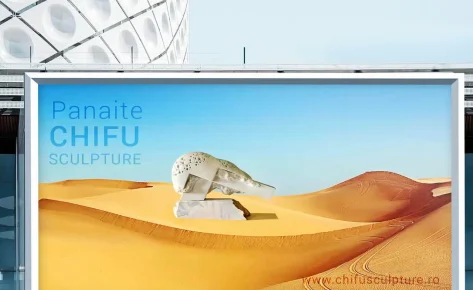
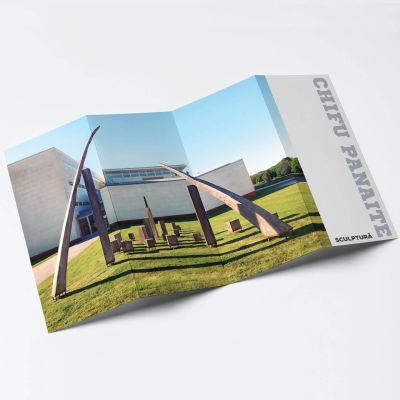
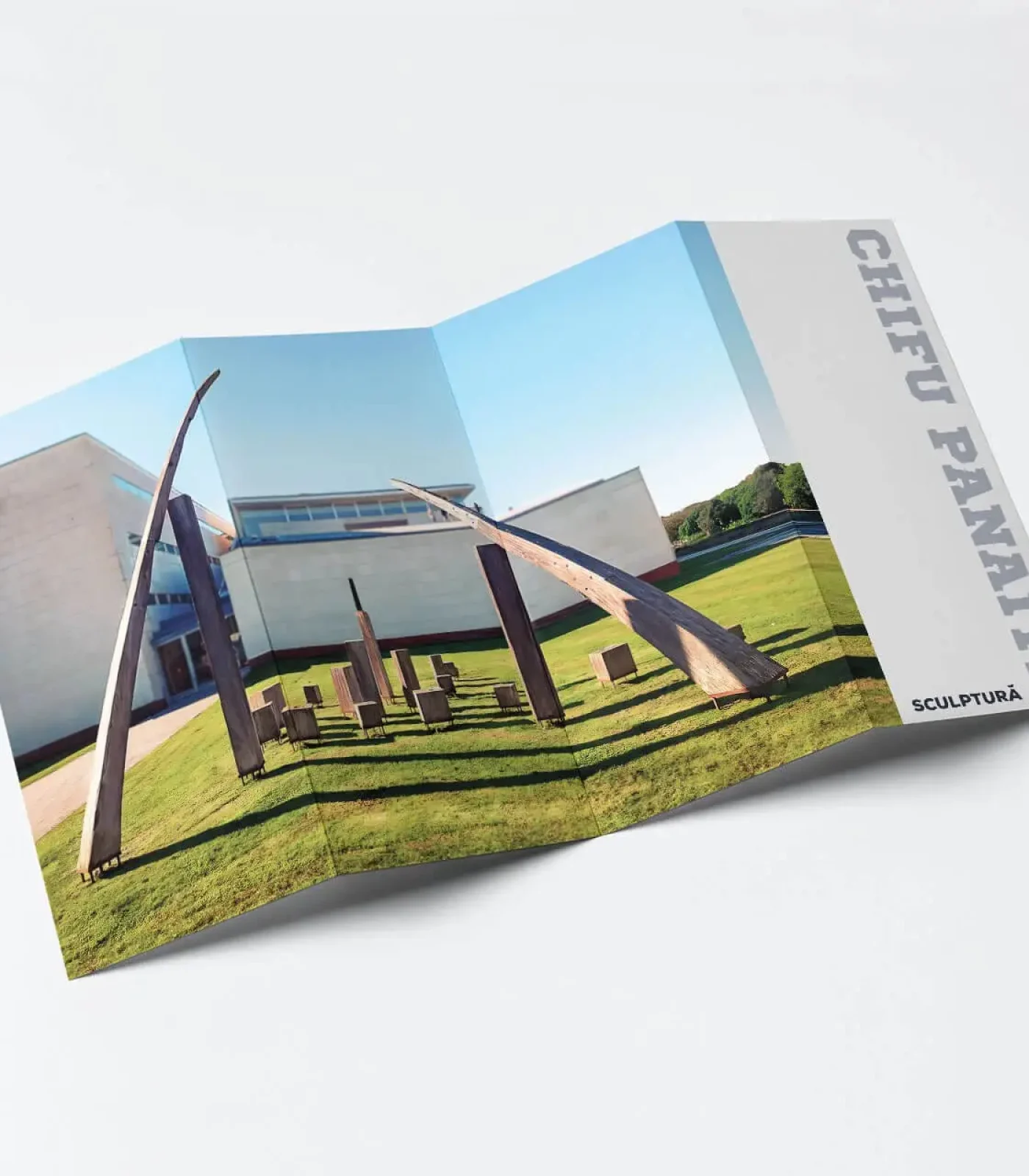
This edit maintains the integrity of the sculptural scene while delivering a cleaner, brighter, and more focused visual experience.

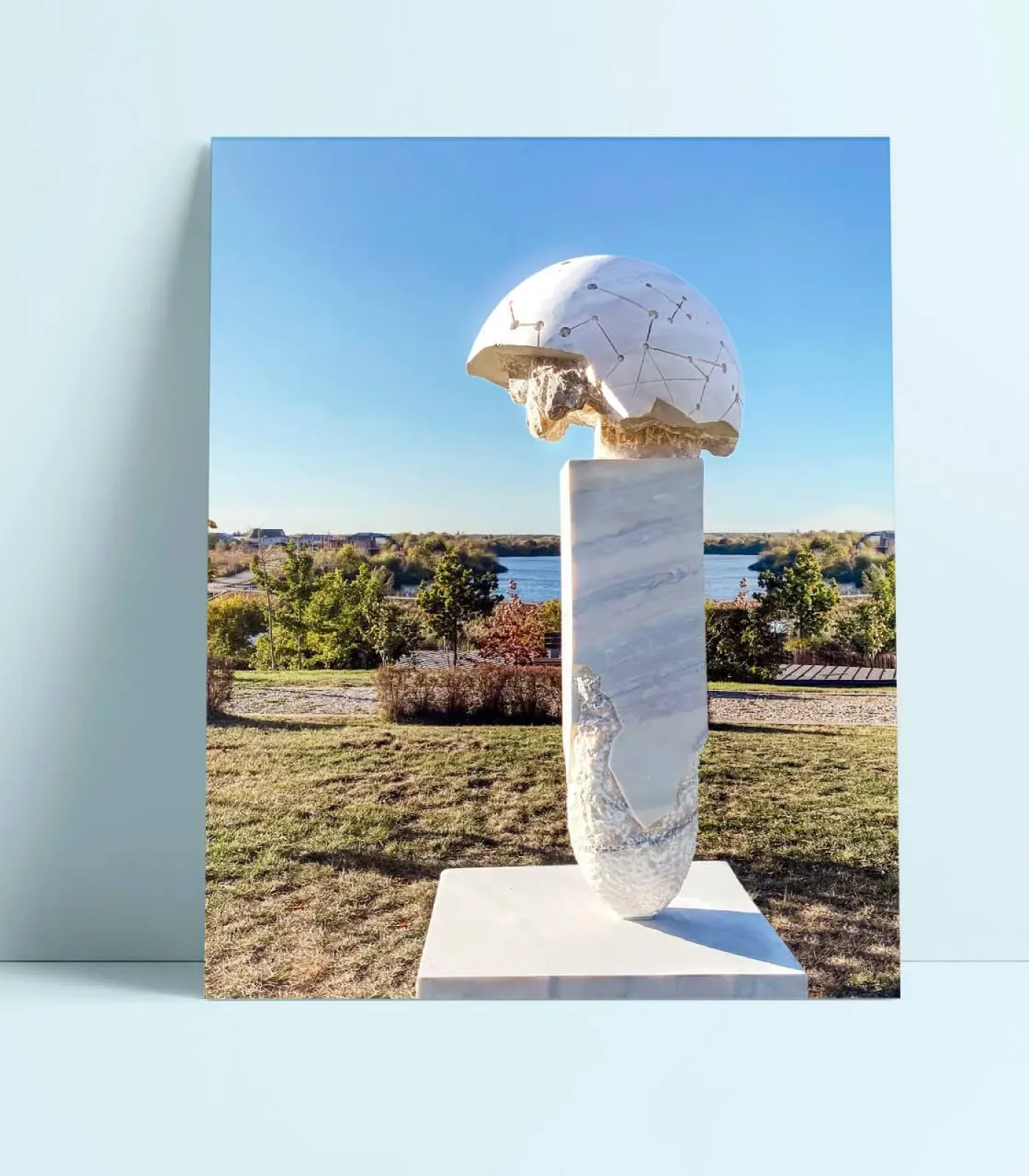
The goal was to enhance the clarity, color balance, and overall visual harmony of an outdoor sculptural installation captured under strong daylight conditions.

The process was done entirely in Adobe Photoshop, focusing on removing distractions, improving tonal quality, and restoring visual coherence between elements.

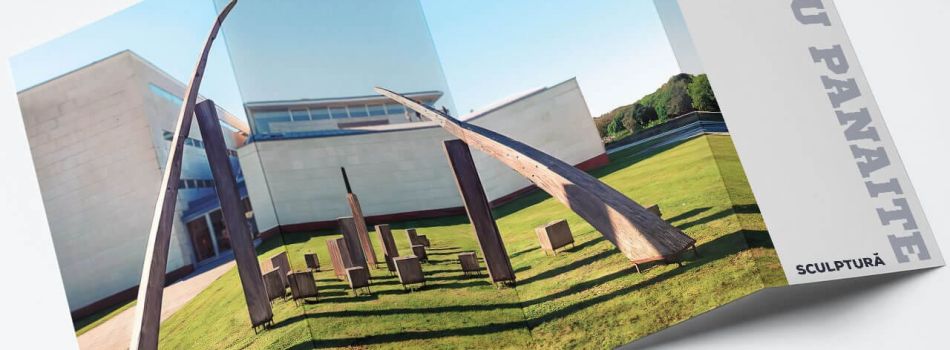
To start, I cleaned up unwanted elements like the van, rooftop equipment, and dirt marks on the walls.

Using Content-Aware Fill, Clone Stamp, and Patch Tool, I meticulously removed the van and roof clutter, allowing the architectural lines and sculptural forms to stand out without distraction.

Next, I worked on the colors and lighting. I deepened the shadows cast by the wooden structures to give them more depth and form.

The wood was also warmed up slightly to bring out its natural tones and make it feel more inviting. 

Polish your first impression

These changes were done using  adjustment layers and masks. Made the sky look cleaner and more even by adjusting the tones and smoothing the gradients.
I used gradient masks and  color adjustments to smooth out tonal transitions and subtly increase contrast in the blue tones.

Additionally, I replaced the far-right red industrial buildings with a soft tree line using custom masking and blending, creating a more natural environment.

The grass was lightly enhanced to look fresher and more vibrant. I also sharpened certain areas of the image, especially in the foreground, to help details stand out.

Finally, I cropped the photo slightly to improve composition and exported it in high quality for both web and print use.

The final result  is a clean, vivid, and distraction-free image, highlighting the interaction between sculpture, architecture, and space, ideal for use in portfolios, public art documentation, or editorial features.

Customer

Sculptor CHIFU Panaite

Category

 Art Retouching

Tags

#photoshop, #retouch, #optimize

Skills used
Object & Distraction Removal
40%
Color & Light Correction
30%
Selective Masking & Adjustments
20%
Sharpening & Final Touches
10%
Flyer

This edit maintains the integrity of the sculptural scene while delivering a cleaner, brighter, and more focused visual experience.

The goal was to enhance the clarity, color balance, and overall visual harmony of an outdoor sculptural installation captured under strong daylight conditions.

The process was done entirely in Adobe Photoshop, focusing on removing distractions, improving tonal quality, and restoring visual coherence between elements.

To start, I cleaned up unwanted elements like the van, rooftop equipment, and dirt marks on the walls.

Using Content-Aware Fill, Clone Stamp, and Patch Tool, I meticulously removed the van and roof clutter, allowing the architectural lines and sculptural forms to stand out without distraction.

Next, I worked on the colors and lighting. I deepened the shadows cast by the wooden structures to give them more depth and form.

The wood was also warmed up slightly to bring out its natural tones and make it feel more inviting. 

These changes were done using adjustment layers and masks.

Made the sky look cleaner and more even by adjusting the tones and smoothing the gradients. I used gradient masks and color adjustments to smooth out tonal transitions and subtly increase contrast in the blue tones.
Additionally, I replaced the far-right red industrial buildings with a soft tree line using custom masking and blending, creating a more natural environment.

The grass was lightly enhanced to look fresher and more vibrant. I also sharpened certain areas of the image, especially in the foreground, to help details stand out.

Finally, I cropped the photo slightly to improve composition and exported it in high quality for both web and print use.

The final result  is a clean, vivid, and distraction-free image, highlighting the interaction between sculpture, architecture, and space, ideal for use in portfolios, public art documentation, or editorial features.

Skills used
Object & Distraction Removal
40%
Color & Light Correction
30%
Selective Masking & Adjustments
20%
Sharpening & Final Touches
10%
POLISH YOUR FIRST IMPRESSION
Flyer

This edit maintains the integrity of the sculptural scene while delivering a cleaner, brighter, and more focused visual experience.

The goal was to enhance the clarity, color balance, and overall visual harmony of an outdoor sculptural installation captured under strong daylight conditions.

The process was done entirely in Adobe Photoshop, focusing on removing distractions, improving tonal quality, and restoring visual coherence between elements.

To start, I cleaned up unwanted elements like the van, rooftop equipment, and dirt marks on the walls.
Using Content-Aware Fill, Clone Stamp, and Patch Tool, I meticulously removed the van and roof clutter, allowing the architectural lines and sculptural forms to stand out without distraction.

Next, I worked on the colors and lighting. I deepened the shadows cast by the wooden structures to give them more depth and form.
The wood was also warmed up slightly to bring out its natural tones and make it feel more inviting. 

These changes were done using adjustment layers and masks.

Made the sky look cleaner and more even by adjusting the tones and smoothing the gradients. I used gradient masks and color adjustments to smooth out tonal transitions and subtly increase contrast in the blue tones.
Additionally, I replaced the far-right red industrial buildings with a soft tree line using custom masking and blending, creating a more natural environment.

The grass was lightly enhanced to look fresher and more vibrant. I also sharpened certain areas of the image, especially in the foreground, to help details stand out.

Finally, I cropped the photo slightly to improve composition and exported it in high quality for both web and print use.

The final result  is a clean, vivid, and distraction-free image, highlighting the interaction between sculpture, architecture, and space, ideal for use in portfolios, public art documentation, or editorial features.

Skills used
Object & Distraction Removal
40%
Color & Light Correction
30%
Selective Masking & Adjustments
20%
Sharpening & Final Touches
10%
Polish Your First Impression
Customer

Sculptor CHIFU Panaite

Category

 Art Retouching

Tags

#photoshop, #retouch, #optimize

get in touch

    Before & After

    Want Your Photos to Stand Out?
    Want Your Photos to Stand Out ?
    Want Your Photos to Stand Out ?
    Recently Added
    Recently Added
    Privacy Preferences
    When you visit our website, it may store information through your browser from specific services, usually in form of cookies. Here you can change your privacy preferences. Please note that blocking some types of cookies may impact your experience on our website and the services we offer.